How to sign up for email updates
Follow these two simple steps to make sure you are always aware of the latest updates to the WGA website.
- Sign in with your email. You'll receive a one time code via email to complete your sign in on Worship Guitar Academy.
- It's important to use the same email every time you sign in so any purchases you make or preferences you have set up are reloaded every time you sign in.
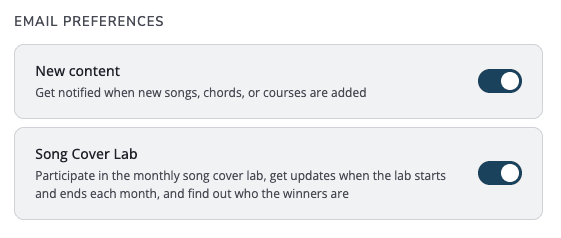
- Scroll down to the "Email Preferences" section at the bottom of your account page.
- Toggle on the New Content option to receive monthly email updates from Worship Guitar Academy.
What updates you will receive
Here are some examples of New Content email updates you can expect to see from us:
- New songs added
- New pages added elsewhere on the site
- New courses or updates to courses
- Polls or questions
- Any other updates to, or direction of, the WGA site
Note that to participate and receive updates on the Song Cover Lab, be sure to subscribe to that option in addition or separate from New Content updates.
How to unsubscribe from WGA updates
If at any time you no longer wish to receive these site update emails, sign in again and toggle this option off.